Product Engineering · Internal Marketplace
Solo-EntwicklungLBA Marketplace
An equipment marketplace for the Armed Forces Logistics Organisation: from clickable prototype to an implemented application with a catalogue, account-free requests and documented handovers.
- Angular
- NestJS
- UX/UI
Context
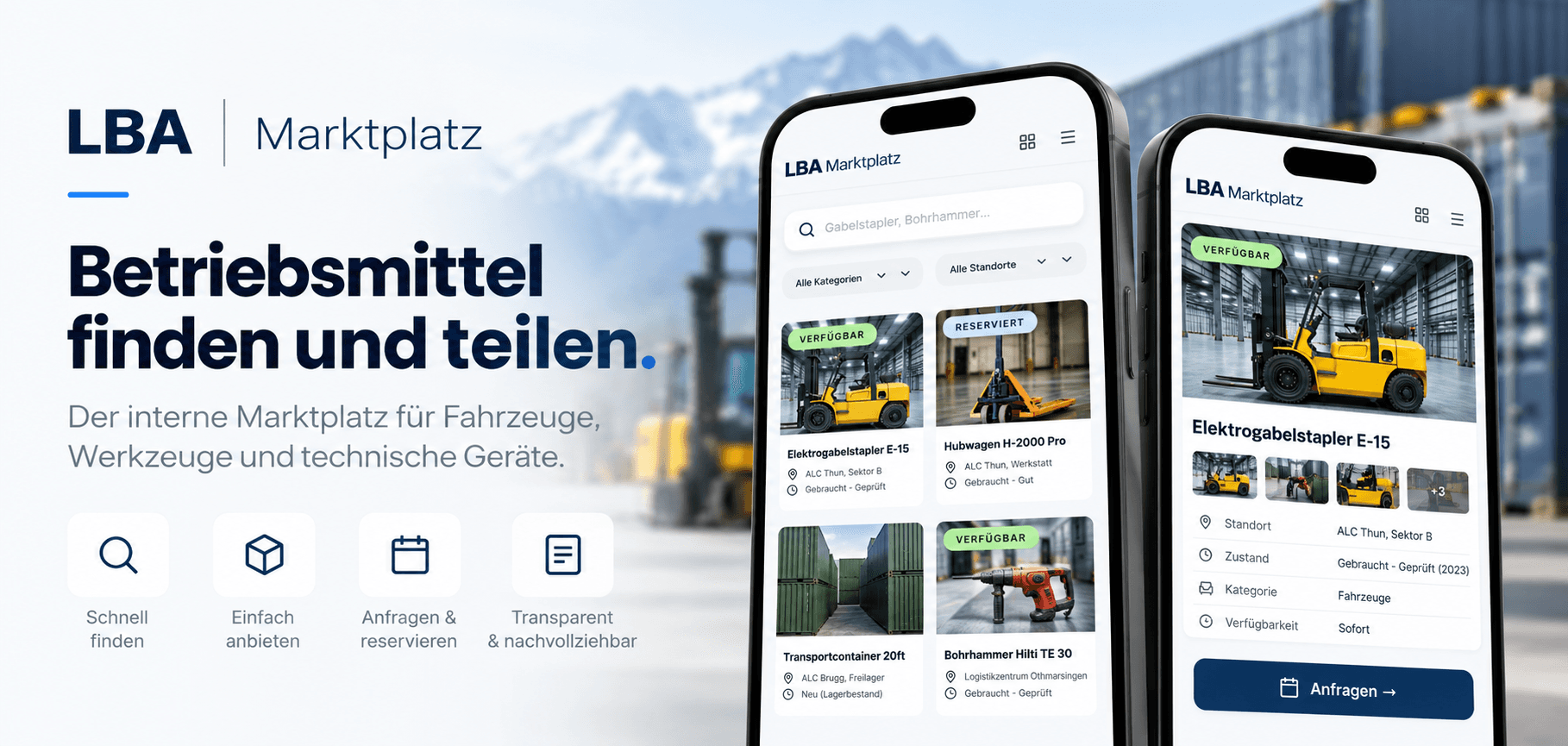
Finding available vehicles, tools or equipment meant bringing together information from different teams. The LBA Marketplace brings discovery and requests into one application for the Armed Forces Logistics Organisation (LBA). Its catalogue makes equipment discoverable, while administration follows each request through to a completed handover.
My contribution
I developed the concept, user journey, interface design and technical architecture. I also handled full-stack development across the interface and server, testing and deployment preparation. The focus was a clear path from finding an available item to submitting and processing a request.
From prototype to application
The project began with a clickable prototype and sample data, used to agree the workflow and design with the client. The design was then rebuilt as a complete application with persistent data, users, permissions and logging, retaining the prototype’s appearance.
Established components came from ELO Shot Count Reporting, an earlier project for the same client. These include two-factor sign-in, which requires a second authentication factor, user and role management, logging, documentation, helpdesk and backups. The automated build and test pipeline, which checks code and produces runnable software, was also reused. Development effort could therefore focus on marketplace-specific workflows.
Finding and requesting equipment
The catalogue is available without sign-in in German, French and Italian. Search, sorting and filters for category, location, condition and status help users find items in grid or list views. Detail pages contain an image gallery, technical information, a description and a location map using Swiss federal map data. Each location has its own listings page. A browser-stored shortlist needs no account.
Requests also require no account. A four-step dialogue collects personal details, a transfer form completed directly or uploaded as a PDF, an optional note and submission. The requester then receives a reference number. Browsing and requesting remain separate from authentication for administrative tasks.
From request to handover
Requests move through defined stages: new, under review, reserved, accepted or rejected, and completed. The item’s status follows the request. Once completed, the item is marked as transferred and removed from the catalogue. Administrators can view messages and the history of each request.
Every status change triggers emails to the responsible people and the requester in the dialogue’s language. The requester receives the provider’s contact details only once the request is reserved. Notifications and history are implemented features.
Managing listings
Providers can create individual listings with photos, condition, location, quantity and technical details, then save a draft or publish it. Bulk entry supports CSV, a plain-text table format, and Excel, with a template and error list. The article list can also be exported.
“My articles” groups a provider’s listings. Categories and locations are maintained as master data, with provider settings per organisation. A permission matrix assigns functions to roles. Separate organisational scopes are supported as tenants, and every change is logged.
Technical structure
Angular uses server-side rendering to prepare catalogue pages before delivery. NestJS provides the server application, TypeORM connects to MariaDB, and an Nx monorepo keeps the code together. Tailwind CSS handles interface styling.
The API, the server’s application interface, renders public pages in the same process without a second server. If rendering fails, the browser builds the page instead. Search, filtering and pagination run in the database. Language paths, a sitemap and cross-language links connect the translations. Fonts and icons are self-hosted. Vitest and Playwright test interfaces and complete browser workflows in the automated pipeline.
Result and next steps
The application is implemented and awaiting acceptance; it has not entered production use. It enables a continuous workflow from discovery to documented handover. Planned work includes generating the transfer form as a PDF, moving images and documents to object storage, administrative metrics and handbook content.