Federal / Armasuisse / Domain application
Solo-EntwicklungELO Shot Count Reporting
ELO connects smartphone shot count reporting, offline data entry and central administration with analysis, documentation and support for military shooting ranges.
- Angular
- NestJS
- PWA
- KI
Context
ELO manages shot count reports for military shooting ranges. Troops report on site; administrators review and analyse the data. Some ranges lack mobile reception, so reporting must also work offline.
My contribution
I took responsibility for concept, software architecture, full-stack development across the interface and server, and production-related operations, on behalf of armasuisse for the Defence Group (ALC-O). Since August 2026, I have added administration, documentation and offline capabilities. I also created the handbooks and training materials. I wrote, recorded and embedded the training videos.
Reporting in the field
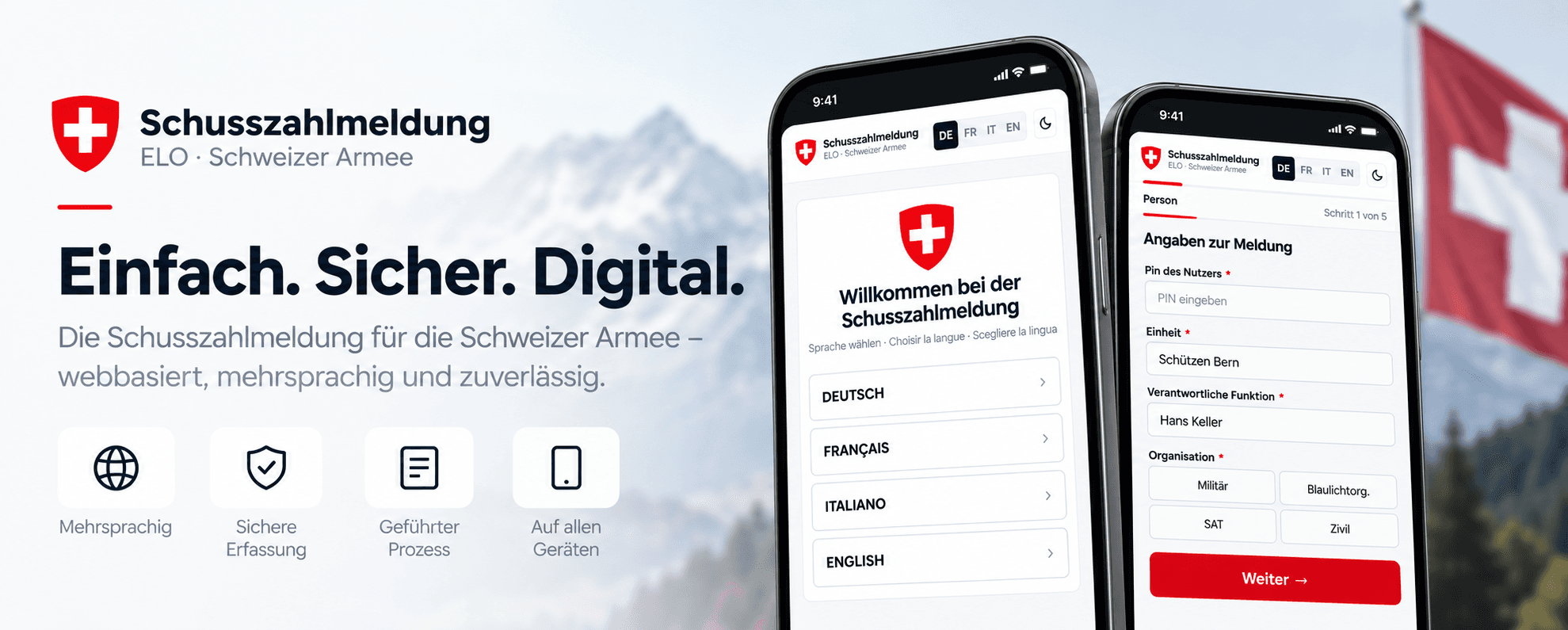
Troops scan the QR code for their site, which is assigned to a coordination office. A guided smartphone flow collects the facility, weapon and shot count without requiring a personal account. Coordination offices can obtain a QR handout for printing or as an image.
The public reporting interface was redesigned to follow the Swiss federal government's corporate design. Both the interface and the handbook are available in German, French, Italian and English.
Reporting without reception
When the code is scanned with a connection, the device downloads the data needed for that site. A report can then be completed entirely offline. It stays in an outbox on the device until reception returns and transmission resumes. Users can also inspect pending reports and choose “Send now”.
The server recognises repeated transmissions of the same report and stores it only once. This safeguard was built before offline reporting. If a device cannot retain data, for example in private browsing mode, the application explains the limitation. Offline reporting is enabled per coordination office. Approved in late October 2026, it has been enabled in production since early November. Dedicated automated browser tests cover these workflows.
Administration and analysis
The rebuilt administration interface also works on tablets and phones. Administrators can review, correct and delete reports, with changes recorded in a log. Excel exports are generated on the server and include worksheets for analysis under the Swiss Noise Abatement Ordinance.
Master data covers sites, facilities, weapons and categories, coordination offices, quotas and their use. Guided onboarding supports individual users or groups through invitation emails. Multilingual email templates and distribution-list notifications support communication. Permissions apply to individual functions and coordination offices, while tenants keep organisational scopes separate.
An assistant for administrators
“Ask ELO” has been added to the administration interface. It uses the handbook to explain procedures, open the relevant page and highlight the requested control. For questions about operational data, figures come from predefined application queries; the language model phrases the response. Actions such as exports and support tickets always require a preview and confirmation.
The server enforces permissions and filters information by tenant and coordination office before it reaches the model. The model runs with a Swiss provider. Consent, a spending limit for each tenant and a usage log are part of the assistant's setup.
Documentation, training and support
The documentation platform manages sections, pages and versions through its own editor. User and administrator handbooks support four languages with German as a fallback and provide the assistant’s knowledge source. Three learning paths offer short lessons for people submitting reports, coordination offices and administrators, complemented by operating guidelines and an awareness page.
Embedded three- to four-minute training videos demonstrate reporting, handing over a coordination office’s QR code, reviewing reports and unlocking an account. These videos remain internal. A helpdesk provides administration tickets and a public support form without login.
Security and operations
The Swiss federal IT baseline protection framework guides the work. Measures are being implemented and documented on an ongoing basis. They cover password rules, mandatory password changes for elevated permissions, security event logging and protection of public forms. Daily encrypted backups, dependency vulnerability monitoring and external monitoring with a status page support operations in Switzerland.
Technical structure
Angular provides the interface and NestJS the server application. TypeORM connects the application to MySQL, with Redis and S3-compatible object storage completing the data infrastructure. An Nx monorepo keeps application code and shared libraries in one repository.
A service worker, a browser background component, and IndexedDB, the browser's local database, support offline reporting. Vitest tests the interface and application API, the connection between client and server. Playwright covers complete workflows, including offline use. Its API client is generated from an OpenAPI interface description.
Result
ELO connects reporting in the field with later transmission, review and export. Submitted reports are available centrally; offline reports join them once transmitted. Administration, documentation and support are brought together in the same application.